


Technical Specifications
Audio
Resolution: 12 bit
Sample Rate: 24KHz
Frequency Response: 100 – 12KHz
CODEC: OPUS
4-Wire Audio
Input Gain: -12dB to +12dB
Output Gain: -12dB to +12dB
Network
Bit Rates: 16, 32, 48, 64, 128Kbps
Packet Size: 5, 10, 20, 40, 60ms
Jitter Buffers: 0 – 1000ms
Connectors
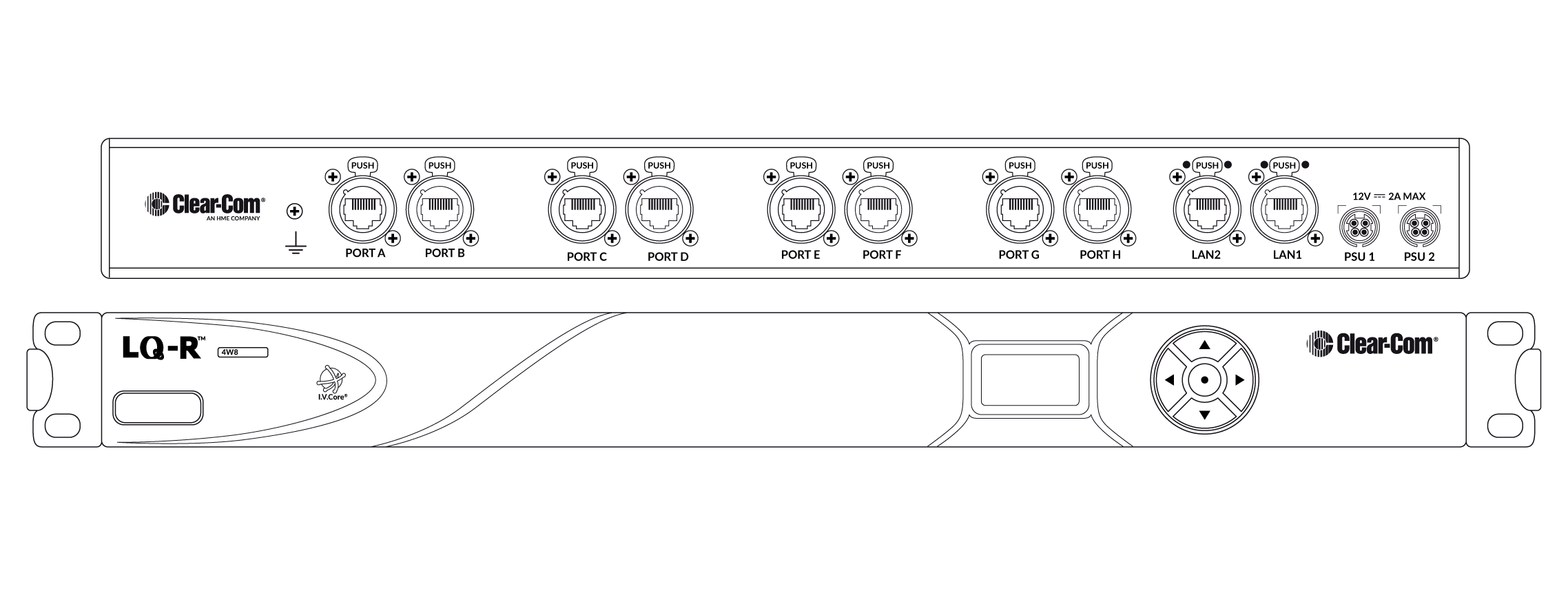
Network/LAN: EtherCON/RJ45 (female)
4-wire Audio I/O: EtherCON/RJ45 (female)
Power Supply
In-line supply with sleeve locking connector
Input: 100-240V, 50-60Hz, 1.4A MAX
Output: DC 12V, 5A, 60W MAX
Environmental
Operating Temperature: +32°F – +104°F (0°C – +40°C)
Storage Temperature: -67°F – +158°F (-55°C – +70°C)
Humidity: 90%, non-condensing
Dimensions
19in W x 1.79in H x 8.8in D
(483mm x 46mm x 224mm)
Weight
4.29lbs (1.95kg)
Features and/or Benefits
Linking 4-wire Intercom Systems
The general purpose of the Clear-Com LQ interfaces is to connect and route signals from multiple intercom systems and audio devices from point-to-point or point-to-multi-point, virtually anywhere over the secure IP network. LQ can link any 4-wire intercom systems such as Clear-Com’s Eclipse, Eclipse HX intercom system and Drake 4000 II panels over IP connections.
Extending Existing Intercom Systems
Need to add an intercom user position across campus and in the next town? Just interface your existing 4-wire intercom system, regardless of brand, with LQ-R4W8 devices. Place the appropriate LQ device at the desired position, then connect Clear-Com’s 4-wire system or panel directly into the LQ device. Once devices are networked together with the Core Configuration Manager, the open communication link between these devices will allow everyone on the intercom network to talk or listen, depend on the configuration.


Reviews
There are no reviews yet.